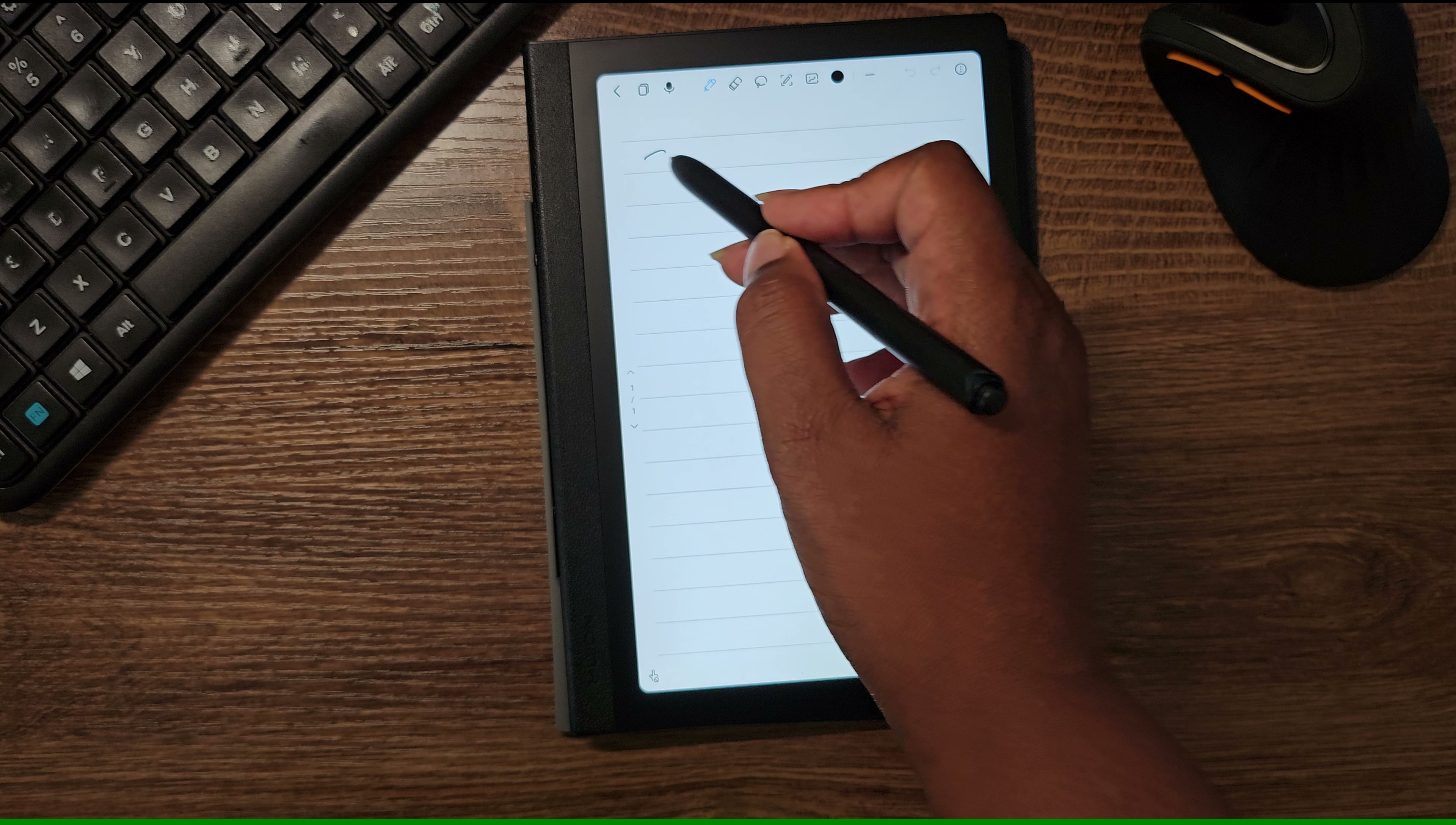
I recently received the Huion Note E as a birthday gift. I had always wanted a smaller-sized table for years for portability. At first glance, I wasn’t entirely sure if it was what I needed. It didn’t look impressive in the sense that it fit my needs. It’s an 8.4-inch tablet with a soft, paper-like screen, powered by a battery-free pen (PenTech 3.0), and it includes a customized launcher for instant access to notes and to-dos.
I had been using a 9-inch Samsung Galaxy Tab, but my primary goal was finding something much more portable. Something akin to an iPad Mini. Good for reading color comics but decent enough for reading web novels and books. Unfortunately, the iPad mini was out of my price range, and honestly, the idea of getting involved in the Apple ecosystem felt like too much work for what I needed. My main use case is reading (comics, public library articles, webcomics) and light sketching. Simple, nothing else.
Prior to getting the Huion Note E, I was actually looking at a similarly sized tablet from Walmart for small media consumption. Walmart tablets are cheap, and they make a small 8 inch variant. So I came into this review with the expectations for that usecase.
Design & Portability: A Great Surprise
I was genuinely surprised by the design of the Huion Note E. I especially love that there’s extra space on the side of the screen. It is just large enough to comfortably place my thumb to hold the table. It’s similar to the space on a Kobo Libra. It makes a huge difference to place the tablet while I read, write, or sketch. The tablet itself is small enough that I can just toss it into my purse and take it with me anywhere.
It feels like such a versatile reading companion for my XTEINK 4; I find myself switching between both when I’m in the mood to read.
Screen Experience (What It Does & Doesn’t Do)
The matte screen is etched glass and anti-glare, which makes reading text genuinely comfortable. However, it’s just not great for watching videos, in my opinion. For media viewing, I still prefer sticking with either the Galaxy Tab or just using my phone. The rear camera is functional enough only for simple document scanning.
With this tablet, my enjoyment of reading webcomics and DRM-free indie authors has increased significantly because it’s so nice to handle while reading.
Also, one thing that was noticeable was the audio. While it works, it should be hollow and far away. It is one of the saddest-sounding external audios I’ve ever heard on a tablet.
Performance & Core Strengths
The real standout feature of this tablet has to be the pen technology. The device uses a comfortable-to-hold pen running Huion’s PenTech 3.0 (Battery-Free EMR), offering an impressive 8192 levels of pressure and tilt recognition. When I sketched, there was zero lag, which is huge.
Because the screen is so small, I mostly use Ibis Paint. Apps like Krita are not as fun to use on a screen this small without having to extensively tinker with the workspace. So I suggest if you are going to use this for drawing, try an app that is meant for tablets, like Ibis Paint or Clip Studio Paint tablet mode.
The Specs:
For the things I actually use it for (reading and sketches), the specs are just fine:
CPU: MTK Helio G99
RAM: 6 GB
Storage: 128 GB
Rear Camera: 8.0 MP
Battery Life: Up to 6.5 hours at 50% brightness
Overall Thoughts & Minor Critiques
I do have mixed feelings about the custom launcher. On one hand, I get how it makes accessing notes faster and writing them too. The device knows to stay on while writing in notes. It’s great for using it as an all-around planner or writing journal.
But on the other hand, I wish there were more options to personalize it. I’d love to change things like the colors or the layout of elements. Also, instead of just showing a list of notes, wouldn’t it be wonderful if the launcher could showcase a gallery of finished sketches or photos?
But other than that minor tweak, this is an excellent device. It hits exactly the sweet spot for what I need: a portable, comfortable, and reliable companion reader and sketch pad.
Leave a Reply